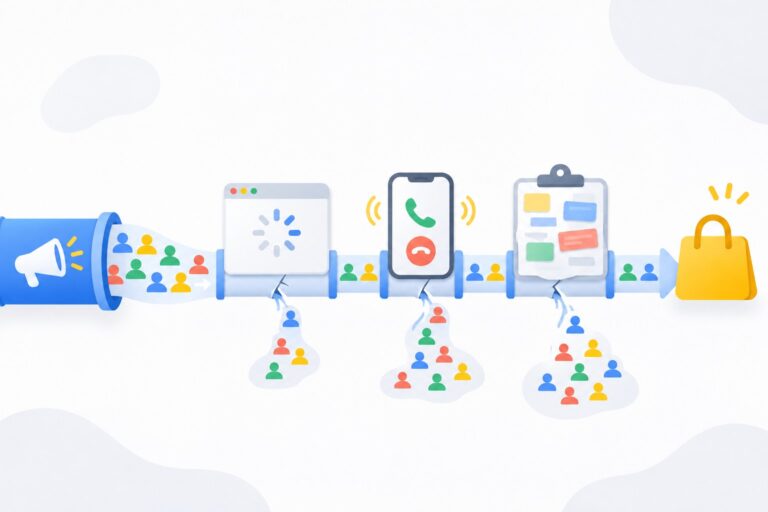
You can tell whether your Google Ads contractor is wasting your budget without any special skills: all you need is access to the account and a few checks. The main warning signs: you can’t see how many leads the ads bring, the search terms are full of junk, conversions are set up “for show”, and reports are about clicks and impressions instead of money. Below I show step by step what to look at and how to tell poor work from normal fluctuations.
A quick caveat: “wasting budget” doesn’t always mean “cheating”. More often it’s just weak setup or a specialist who doesn’t have enough time for your account. But for the business the result is the same: money goes out, leads don’t come in. So it’s worth checking either way.
Access first: without it you can’t check anything
The first thing I look at is who owns the account.
- The Google Ads account should be created for your business and linked to your email or your own manager account (MCC). The contractor gets access but doesn’t own the account.
- As the owner, you should have “Admin” access. To check: in the account, go to “Admin” > “Access and security”.
- If the contractor says “the account is mine, I’ll send you reports”, that’s the first red flag. You can’t see spend, you can’t see history, and you can’t take the account with you if you switch specialists.
Sign 1. No proper conversion tracking
If the account doesn’t track leads, calls or sales, nobody can tell whether the ads work. Not you, not the contractor.
What to check:
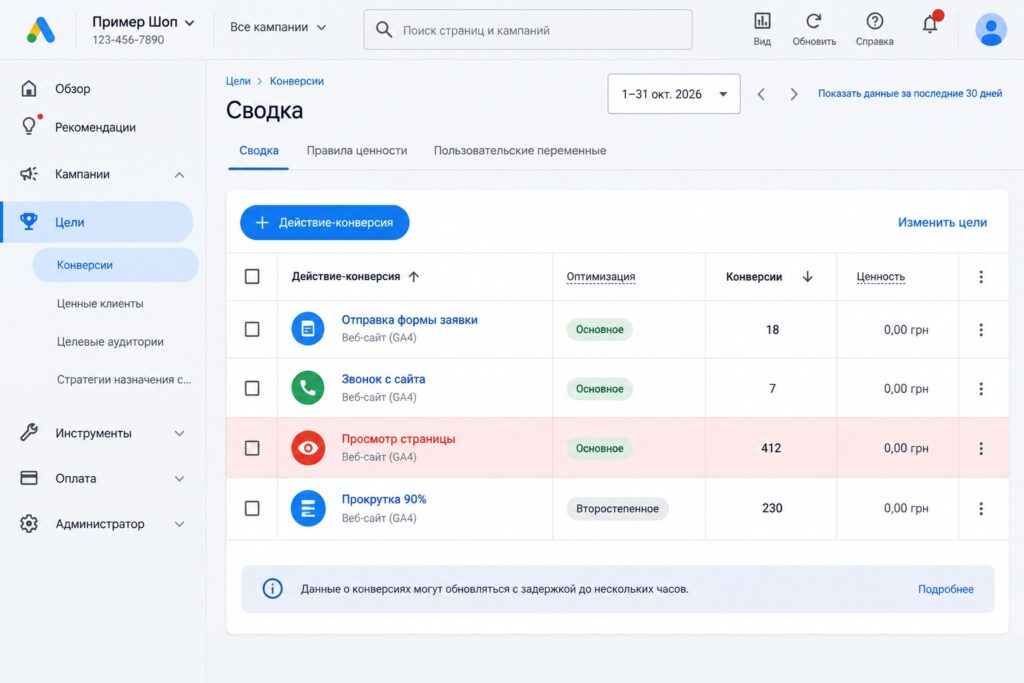
- Open “Goals” > “Conversions” > “Summary”.
- See which actions are marked as primary (automated bid strategies optimize toward them).
- Warning signs: primary conversions include “page view”, “time on site”, “click on any button”, “scroll”. These are easy to rack up, and the strategy will chase cheap but useless traffic.
- Compare the conversion count with real leads in your CRM or inbox for the same period. If Google Ads shows 200 “conversions” and you got 20 real leads, the reports are not telling the truth.
If conversion tracking needs to be set up from scratch, see my analytics setup service.
Sign 2. Junk in the search terms
The specialist chooses the keywords. Search terms show what people actually typed before clicking. The gap between the two shows the quality of the work.
- Open “Insights and reports” > “Search terms” (or, inside a campaign, “Keywords” > “Search terms”).
- Set the date range to the last 30 days and sort by cost.
- Look at the top 30-50 rows. If you see “free”, “jobs”, “DIY”, “download”, competitor brands, or topics unrelated to your business, and there are no negative keywords, money is being wasted.
- Check the negative keyword lists. An empty list combined with broad match almost always means lost budget.
Sign 3. Ads show where you didn’t ask for them
Open the settings of every campaign and check:
- Networks. In a Search campaign, “Google search partners” and “Display Network” are sometimes enabled by default. Display inside a Search campaign often brings many cheap clicks and no leads.
- Locations. You need “Presence: people in or regularly in your included locations”, not “Presence or interest”.
- Ad schedule. If you only handle leads during the day but ads run all night with no adjustments, that’s a question for your contractor.
- Placements in Performance Max and Display. Look at the placement report: if most of the spend went to mobile apps and games, it’s time for a conversation.
Sign 4. The contractor barely touches the account
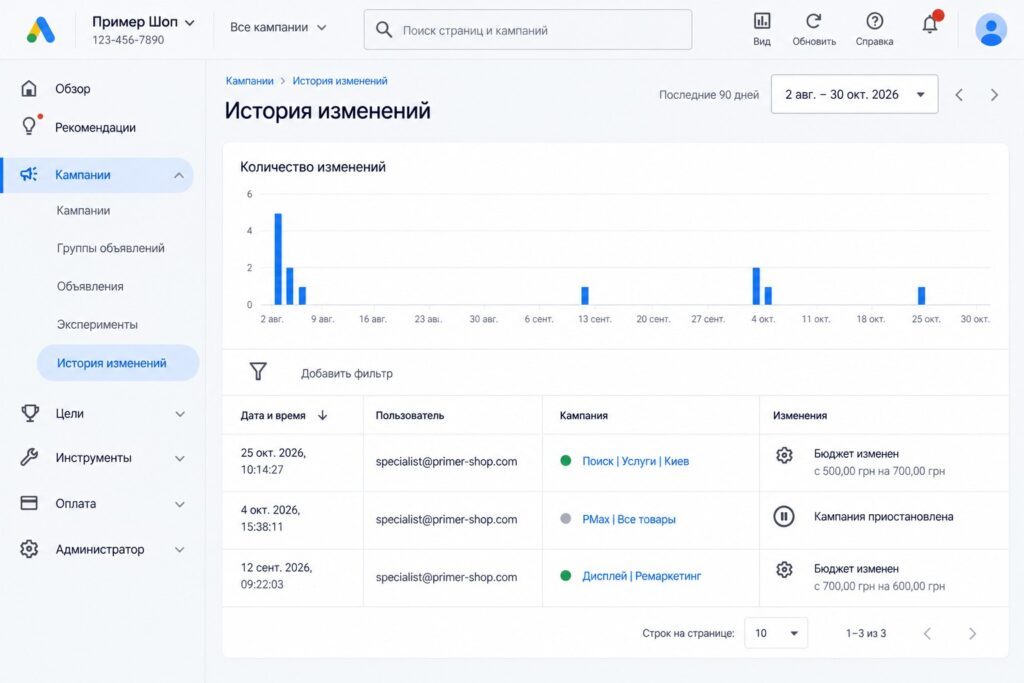
Google Ads has a “Change history” that shows every action, who made it, and when.
- Open “Campaigns” > “Change history”.
- Set the range to the last 1-3 months.
- Look at how many changes there are and what they are. If there are only a couple of budget edits in a month while you’re paying for ongoing management, ask questions.
Note that a huge number of changes isn’t always good either. If the bid strategy changes every week, automation never gets a chance to learn. A healthy picture: regular search term cleanup, ad tests, and bid and budget changes with clear reasoning.
Sign 5. Auto-apply recommendations is on
The “Recommendations” section has an auto-apply setting. If it’s turned on across the board, Google adds keywords, broadens match types, and changes strategies and budgets on its own. Sometimes that helps, but more often it expands reach at your expense. An experienced specialist enables auto-apply selectively and deliberately, not “everything at once”.
Sign 6. Ads and landing pages haven’t changed in months
Open the “Ads” section and check the creation dates. If every ad was created at launch a year ago, each ad group has a single ad, and ad strength says “Poor”, nobody is improving the copy.
In a well-managed account you should see:
- at least one responsive search ad with “Good” or “Excellent” strength in every ad group;
- headlines that answer people’s queries, with prices, benefits and a call to action;
- assets in place: sitelinks, callouts, a phone number;
- ads leading to the relevant page of the site, not the homepage for every query.
One more detail: brand searches (people looking for you by name) are best kept in a separate campaign. When brand is mixed with generic queries, the average cost per lead looks better than it really is, and the true performance of your ads is hidden.
Sign 7. Reports without money
Look at what you get in your monthly report. It’s a warning sign if it’s just impressions, clicks, CTR and “reach grew 40%”, with nothing about:
- how much was spent;
- how many leads or sales came in;
- what one lead costs and how that changed;
- what was done this month and what’s planned next.
A good contractor speaks the language of money and leads. Cost per click on its own means little: an expensive click can be profitable if it brings buyers. More on that in my article on how to lower CPC in Google Ads.
Questions to ask your contractor
If something bothered you during the check, you don’t need to fire the specialist right away. Ask specific questions and judge the answers:
- “Which actions count as our primary conversions, and why those?”
- “How many leads did the ads bring last month, and what did one lead cost?”
- “When did you last review search terms, and what did you add as negatives?”
- “Why is the Display Network enabled (or disabled) in our Search campaign?”
- “What hypotheses are you testing right now, and when will you have results?”
- “What do you plan to change next month?”
A good specialist answers specifically, with numbers and reasoning. It’s a red flag if the answers sound like “Google’s algorithms optimize on their own”, “we need more budget” or “that’s how it is for everyone”.
Normal fluctuations or a real problem
Not every bad month means bad work. These can be normal:
- a seasonal drop in demand in your niche;
- more competition, when new advertisers with big budgets enter the auction;
- a bid strategy learning period after major changes, usually up to two or three weeks;
- problems on the website or sales side: the site got slower, leads are handled late, prices went up.
It’s a problem if poor results last for several months and the contractor doesn’t explain why or offer a plan. Another warning sign: spend grows faster than leads for no clear reason.
How to run the check in one evening
- Make sure you have “Admin” access.
- Compare conversions in Google Ads with real leads for the last month.
- Sort search terms by cost and review the top 50.
- Check networks, locations and ad schedule in each campaign.
- Open the change history for the last 1-3 months.
- Check the auto-apply recommendations setting.
- Calculate cost per lead: monthly spend divided by real leads. Compare it with what you can afford to pay.
For a structured self-check, use my Google Ads checklist.
Common mistakes business owners make
- Judging the work by the first week. A new campaign needs time to learn, usually two to four weeks. Drawing conclusions earlier is premature.
- Comparing your cost per click with someone else’s. Prices vary a lot by niche, region and competition.
- Not giving the contractor feedback on lead quality. If the specialist doesn’t know which leads were good, they can’t optimize for quality.
- Switching contractors every two months without owning the account. Everything starts from scratch each time, and the history is lost.
- Demanding “cheap clicks”. A contractor can deliver them, but they won’t add sales.
FAQ
How do I know if my ad spend is normal for my niche?
There’s no single benchmark: cost per click and cost per lead depend on niche, region, season and competition. Start from your own economics: how much you earn from one sale and what share of it you’re willing to spend on acquiring a customer. For a ballpark, see my article on how much Google Ads costs.
My contractor says conversions don’t matter, traffic does. Is that normal?
Not for ads that are supposed to bring leads or sales. Without conversions you can’t measure results or properly use automated bid strategies.
Can I check the account without access?
Hardly. Without access you only see what the contractor chooses to show in the report. That’s why the business owner must have “Admin” access.
What should I do if I find these signs?
First, calmly ask the contractor about each point. Sometimes there’s a reasonable explanation. If there are no answers, or the answers are vague, it makes sense to order an independent Google Ads audit.
Freelancer or agency: who wastes budget less often?
It depends on the specific specialist and how transparent they are, not on the format. What matters more is whether you have access to the account, honest reports and a clear plan.
Conclusion
To know whether your contractor is working for your results, you need three things: your own access to the account, honest conversion tracking, and the habit of looking at cost per lead rather than clicks. The other signs (junk search terms, unwanted networks, an empty change history, reports without money) can be checked in one evening.
If you’d like an independent specialist to look at your account, order a free express audit: I’ll go through the key points and tell you where money is being lost. More Google Ads walkthroughs are on my YouTube channel.