
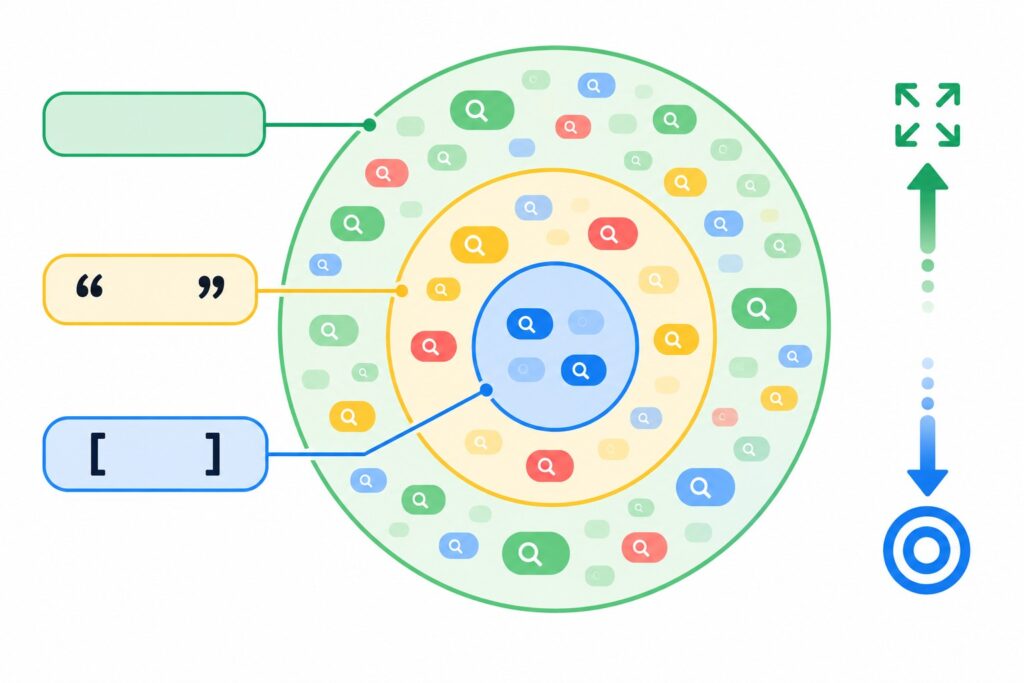
A match type decides which searches can trigger your ad for a given keyword. Google Ads has three: broad match (the keyword is written as is), phrase match (in quotes) and exact match (in square brackets). Broad gives the most reach and the least control, exact is the opposite, and phrase sits in between. My short advice: if you start with a small budget, use phrase and exact, and switch on broad match once conversion tracking is set up and the campaign runs on Smart Bidding. Below I explain how each type works today, not five years ago, and how to choose the right one.
How match types are written
| Type | How to write it | Keyword example | Searches it can match |
|---|---|---|---|
| Broad | no symbols | fridge repair | refrigerator technician, fridge not cooling what to do |
| Phrase | “in quotes” | “fridge repair” | emergency fridge repair near me, fridge repair at home |
| Exact | [in brackets] | [fridge repair] | fridge repair, refrigerator repair |
If you add a keyword without any symbols, Google treats it as broad match by default. People often forget this and then wonder where the strange searches in the report come from.
Broad match
Broad match shows your ad on searches related to the meaning of the keyword, even if the keyword’s words are not in the search at all. Besides the keyword itself, Google looks at other keywords in the ad group, the landing page content and the person’s recent searches.
Example: for the keyword fridge repair, your ad may show for “fridge not cooling” or “appliance technician”. Sometimes these are great customers you would never find on your own. Sometimes they are people looking for a DIY guide to fix the fridge themselves.
When I use broad match
- The account has accurate conversion tracking and enough conversions (as a rough guide, at least a few dozen per month per campaign).
- The campaign runs on Smart Bidding: Maximize conversions, target CPA or target ROAS. With manual bids, broad match almost always wastes budget.
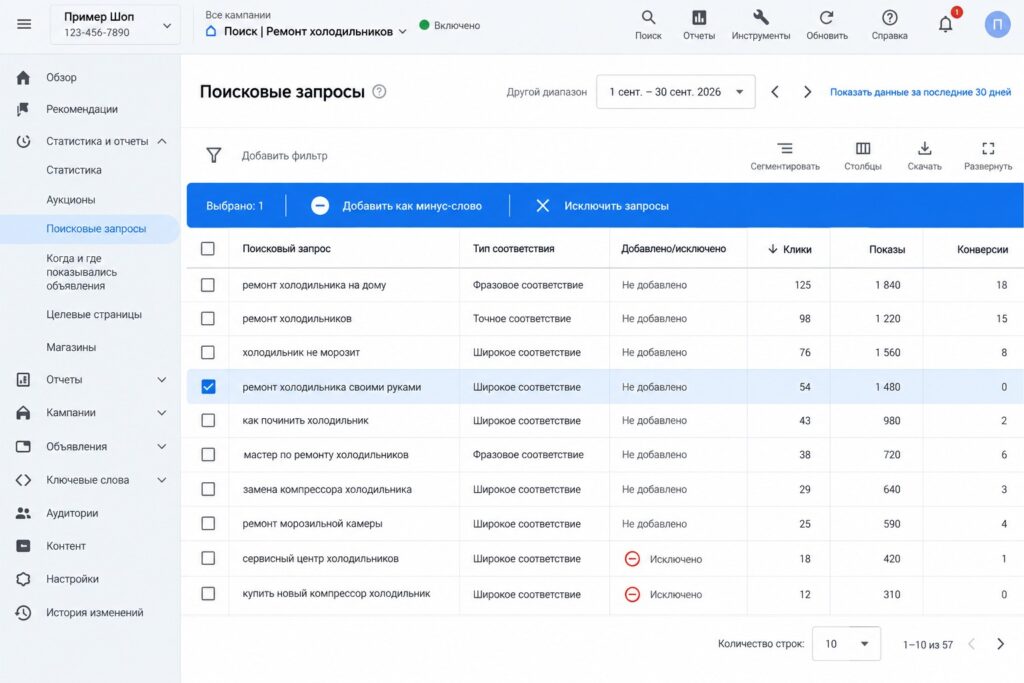
- There is time to review the search terms report regularly and add negative keywords.
When I don’t
- A new account with no conversion history.
- A small budget where every wasted click is noticeable.
- Industries with very expensive clicks, where one irrelevant search costs as much as a lead.
Phrase match
Phrase match shows your ad on searches that include the meaning of your keyword, including more specific searches with extra words. Word order matters when it changes the meaning.
Example: for “fridge repair” the ad can show for “Samsung fridge repair at home” and “emergency fridge repair”. It will not show for “buy a fridge”, because the meaning is different.
There used to be a separate type called broad match modifier (words with a plus sign). Google retired it in 2021 and folded its logic into phrase match. If you see keywords like +fridge +repair in an old account, the system treats them as phrase match.
Phrase match is what I choose most often for a launch: it gives reasonable reach without pulling the ads too far from the topic.
Exact match
Exact match shows your ad on searches with the same meaning or intent as the keyword. The key point: “exact” has not meant “word for word” for a long time. Google includes close variants: misspellings, singular and plural forms, other word forms, reordered words and function words, as long as the meaning stays the same.
Example: for [fridge repair] the ad can show for “refrigerator repair” or “repair fridge”. It will not show for “Samsung fridge repair”, because a qualifier was added.
Where exact match is essential
- Your most important and most expensive searches, where you want full control over the bid and ad text.
- Brand searches.
- Searches that have already proven they bring sales and that you found in the search terms report.
Which keyword wins when several qualify
A common question: I have the same keyword in different match types, which one triggers? Google has priority rules.
- If the search is identical to an exact match keyword, that keyword takes priority. It beats phrase, broad and Performance Max.
- If there is no identical exact keyword, phrase and broad keywords (and Performance Max search themes) compete on equal terms, and the system picks the most relevant one.
- If relevance is tied, the one with the higher Ad Rank wins.
So duplicating one keyword in all three match types within one ad group rarely makes sense. A good set of keywords plus negatives is enough.
How match types work with AI Max
In 2025 Google launched AI Max for Search campaigns. It is a campaign-level setting: once it is on, the system expands your keywords as if they were broad match and adds keywordless matching based on your website and ad content. Exact keywords keep priority for identical searches, but overall control drops noticeably.
I turn on AI Max only in campaigns with a solid conversion history and always set limits: URL exclusions, brand restrictions and regular search term reviews. For a new account it is too early.
Negative keywords have match types too
Negative keywords follow their own rules, and this matters.
- Negative broad match blocks a search if it contains all the words of the negative keyword in any order.
- Negative phrase match blocks a search if it contains the phrase in the same order.
- Negative exact match blocks only the search that exactly matches the negative keyword.
The main difference from regular keywords: negatives do not include close variants. If you add the negative “free”, it will not block “freebie”, you need to add that form too.
How to change the match type of existing keywords
If the account already has keywords and you want to switch them, for example from broad to phrase, you do not need to delete and re-add them by hand.
- Open the Campaigns menu, then Audiences, keywords and content, then Search keywords.
- Tick the keywords you want to change.
- Click Edit and choose Change match types.
- Set which match type you are changing from and to, then apply. Check the preview before saving so you do not touch the wrong keywords.
One important detail: Google treats a keyword with a different match type as a new keyword. The old keyword’s history does not carry over, and the new one starts collecting data from scratch. That is why I change match types in a running campaign gradually rather than all in one day.
Menu labels change from time to time, but the logic stays the same: keywords, select, edit, match type.
Step by step: how I choose match types for a new campaign
- Build the keyword list in Keyword Planner and group it by theme.
- Add the main commercial keywords in phrase and exact match.
- Add a starter negative list: free, DIY, jobs, courses, competitor reviews and anything that is clearly not about buying.
- Launch the campaign on a bid strategy that fits the budget. For the first 1-2 weeks I check the search terms report every 2-3 days.
- Expand keywords and negatives. Good searches from the report become exact keywords, junk becomes negatives.
- Test broad match once the campaign gets steady conversions. Ideally as a separate experiment, so the comparison is fair.
For the full launch process, see my guide on how to set up a Google Ads Search campaign.
Common mistakes
- Keywords without symbols “out of habit”. You think you added a normal keyword, but it is broad match with a manual bid. The budget goes to random searches.
- Broad match with no conversions. The algorithm has nothing to learn from, so it finds traffic that is simply cheap to click.
- Expecting exact to mean word for word. Close variants are always there, so you need the search terms report for exact keywords too.
- Negatives in only one form. Negatives do not cover word forms, add the variants.
- Negatives that are too broad. The negative “repair” in a fridge repair campaign kills all traffic. Before adding a negative, check that it does not block searches you need.
FAQ
Which match type is best for beginners?
Phrase and exact. They bring predictable traffic and quickly show which searches work. Broad match is better added after conversions are tracked and data has built up.
Why does exact match bring in other searches?
Because exact match includes close variants with the same meaning: other word forms, misspellings, reordered words. If a variant does not suit you, add it as a negative exact keyword.
Should I add the same keyword in every match type?
Usually not. For identical searches the exact keyword takes priority, and broad match already covers what phrase and exact would. Duplicates only complicate management and reporting.
Where can I see which searches triggered my ads?
In the Search terms report: in the Campaigns menu, open Insights and reports. It shows the search itself, the keyword it matched and the match type.
Is broad match always more expensive?
Not always. A broad match click can even be cheaper, but the share of irrelevant searches is usually higher. Compare cost per conversion rather than cost per click, and that depends heavily on your industry. My article on how to lower CPC in Google Ads covers this in more detail.
Conclusion
Broad match gives reach, exact gives control, and phrase helps you find the balance. Start with phrase and exact, keep an eye on the search terms report, and expand to broad once you have conversions and Smart Bidding. And remember that negative keywords play by their own rules.
If you are not sure your account uses the right match types, request a free Google Ads express audit. I also post practical walkthroughs on my YouTube channel, feel free to subscribe.