
A good responsive search ad answers the person’s search, not the Ad Strength meter. Write 10-15 different headlines and 4 descriptions, put the keyword in your headlines, split price, benefit, trust and call to action into separate assets, and then judge the ad by real clicks and leads. An Excellent rating feels nice, but it doesn’t directly affect whether your ad shows.
Responsive search ads, or RSAs, are now the main format for search advertising. I’ve been running Google Ads for over 9 years and I write these ads every week, so I’ll share how I do it: what goes in each asset, what to pin, and what to leave alone.
What a responsive search ad is
You provide a set of headlines and descriptions, and Google assembles them into an ad for a specific search, device and user. There are a huge number of combinations, and over time the system favors the ones that work better.
Format limits:
- headlines: 3 to 15, up to 30 characters each;
- descriptions: 2 to 4, up to 90 characters each;
- two display path fields: up to 15 characters each;
- an ad usually shows up to 3 headlines and 1-2 descriptions, and Headline 3 and Description 2 don’t always appear.
This leads to the main rule. Any headline can land next to any other, in any order. Each asset has to make sense on its own.
What to write in headlines
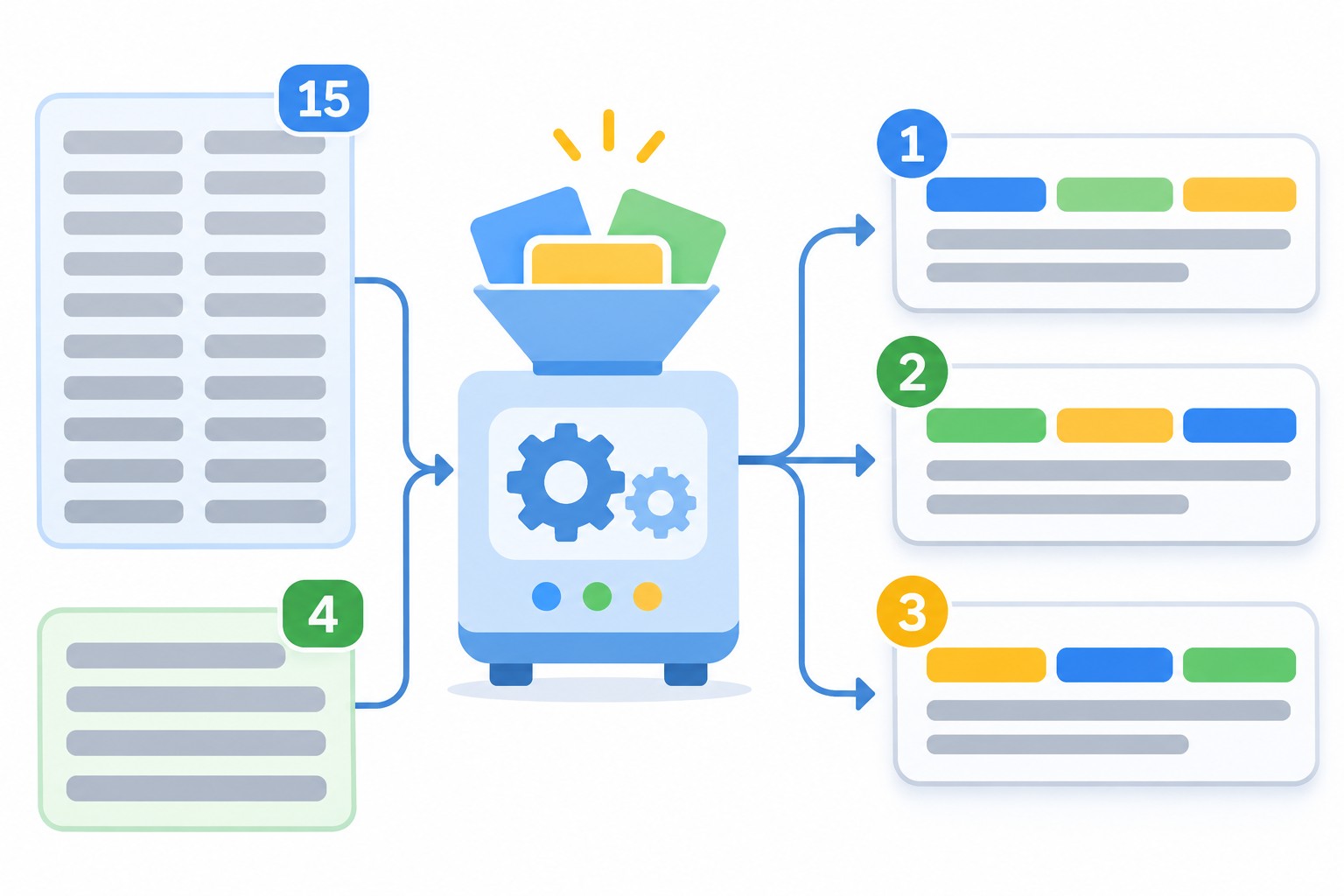
I don’t try to invent 15 headlines in a row. I sort them into groups by meaning, so they come out different and the ad can answer different motives.
- Keyword. 3-4 headlines with the group’s main search: “Washing Machine Repair”, “Washer Repair Technician”.
- Benefit. What the person gets: “Same-Day Repair”, “12-Month Repair Warranty”.
- Price. If you can state it: “Free Diagnostics”, “Call-Outs From $30”.
- Trust. Experience, reviews, official status: “In Business Since 2015”, “Authorized Service Center”.
- Call to action. “Book a Technician Today”, “Request a Quote Online”.
- Question or pain point. “Washer Won’t Drain?”
These examples are illustrative, so use your own real facts. A promise that isn’t on your site can get the ad disapproved, so every number and guarantee needs to be confirmed on the page.
A few practical tips:
- Keep the keyword phrase whole inside a single headline. If it doesn’t fit in 30 characters, put it in a description.
- Write your first three headlines so they read well together. Google recommends this directly.
- Don’t repeat the same idea in other words. “Fast Delivery”, “Delivery Fast” and “We Deliver Fast” are almost one asset to the system, so you get noise instead of variety.
- Vary the length. Different lengths give more ways to assemble an ad, and short ones help fit three headlines on a line.
- Use numerals. “24 hours” stands out more and is shorter than “around the clock”.
I explain how to build ad groups with keywords that aren’t mixed together in my guide to Google Ads account structure.
What to write in descriptions
A description gives you 90 characters, which is room for what didn’t fit in a headline. I write 4 descriptions, each with its own job:
- What you offer and who it’s for, with the keyword.
- The main benefit and the proof: experience, a guarantee, terms.
- Price, offer or ordering terms.
- A call to action that removes the fear: “Leave a request and we’ll call back in 15 minutes with a price.”
Finish with a full sentence instead of trailing off. Description 2 doesn’t always appear, so don’t leave the most important thing only there: the core of your offer should be in each description.
Don’t forget your other assets. Sitelinks, callouts and a phone number often add more click potential than one more headline.
How to read Ad Strength
Ad Strength rates your ad as Incomplete, Poor, Average, Good or Excellent. It considers keywords in your text, the number of assets, how diverse they are, and the number of sitelinks. If text customization is on, Google-generated text counts equally with yours.
Here’s what many people miss. According to Google’s help pages, Ad Strength doesn’t determine whether your ad is eligible to serve, and it isn’t used to calculate Ad Rank, Quality Score or auction wins. It’s writing feedback, not a ranking factor.
What I do in practice:
- I aim for at least Good, which usually takes 10-15 different headlines and 4 descriptions;
- I don’t sacrifice meaning for Excellent. If the meter wants a keyword in a fifth headline and the text gets worse, I leave it;
- I compare ads by conversions and cost per conversion, not by the rating;
- I watch the Ad strength column in the ads table to spot weak ads. If it’s hidden, I add it through the Columns icon.
Example asset set
Here’s what this looks like for a hypothetical appliance repair service. All the values are made up, so treat this as a pattern and not as ready-made copy.
- Keyword headlines: “Washing Machine Repair”, “Home Washer Repair”, “Washing Machine Technician”.
- Benefit headlines: “We Come the Same Day”, “Repair Warranty Included”.
- Price headlines: “Free Diagnostics”, “Price Before We Start”.
- Trust headlines: “10 Years Fixing Appliances”, “Original Spare Parts”.
- Call-to-action headlines: “Book a Technician Online”, “Call for a Quote”.
- Description 1: “We repair washing machines at your home. Same-day visits across the city.”
- Description 2: “You get the price before work starts, plus a warranty. Original parts in stock.”
Notice that any three of these headlines placed together make an understandable ad. That’s exactly what to check before you save.
Text customization: should you turn it on?
Google can write extra headlines and descriptions based on your site and existing text. This is called text customization, and it affects Ad Strength. I turn it on carefully: only where the site’s copy is clean and there are no legal limits on wording. After launch, always review what the system generated and turn off anything that doesn’t fit. You’re responsible for the words in your ads, not the algorithm.
Pinning: when you need it
You can pin an asset to Headline position 1, Headline position 2 or Description position 1. Google says pinning isn’t recommended for most advertisers: it cuts the number of combinations and can affect Ad Strength.
I pin in only three cases:
- There’s required text: a legal disclaimer, a license name, offer terms.
- A client’s brand text has to stay visible, for example in brand ad groups.
- A certain message has to come first, and I’ve confirmed that it doesn’t work without pinning.
If you pin, put 2-3 different assets on a position so the system still has a choice. Headline 3 and Description 2 don’t always show, so there’s no point pinning your most important text there. If you pin every position, the other assets simply won’t show.
How to write an RSA, step by step
- Open the ad group and check the keywords and real searches in the search terms report. Your text should answer what people actually look for.
- Look at competitors in the results: what they promise and how you differ.
- Write down the facts: prices, timing, guarantees, experience, what’s included. Without them you’ll get filler.
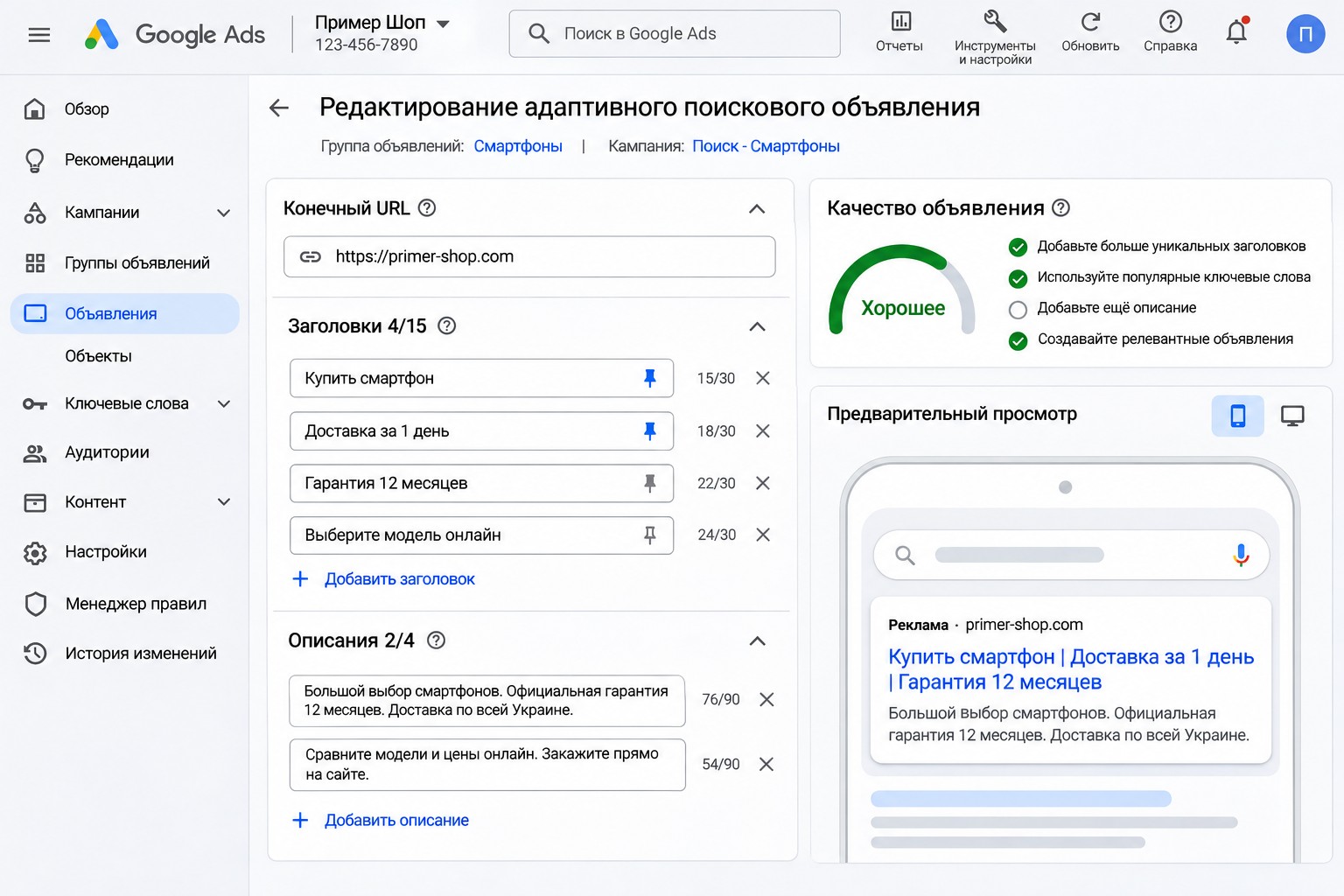
- Create the ad: Campaigns, Ads, plus button, Responsive search ad. Choose the ad group and enter the final URL and display path.
- Fill in headlines using the groups above. At least 10, ideally 12-15.
- Fill in 4 descriptions.
- Check the Ad Strength meter and the hints on the right, and apply what makes sense.
- Create at least 2 ads per ad group. Google recommends at least two responsive search ads with Good or Excellent Ad Strength.
- Compare the ads after 2-4 weeks. Timing depends on your traffic: if clicks are low, wait longer.
After launch, open the ad’s asset details: you’ll see which headlines and descriptions show more often and which combinations the system picked. Replace weak assets one at a time. If you rewrite everything at once, you lose the data and won’t know what worked.
Common mistakes
- The same idea in every headline. There are 15 assets, but only one message.
- Your brand in every headline. It takes up space you could use for a benefit.
- Keywords pasted in awkwardly. A natural phrase is better.
- Promises that aren’t on the site. People click, don’t find it, and leave. The ad can be disapproved, and repeat violations can end in an account suspension.
- Headlines that don’t read on their own. “And Free Delivery” looks odd next to another headline.
- Chasing Excellent at the cost of meaning.
- One ad covering several services. If an ad group mixes repairs and sales, the text won’t answer either search. My guide to keyword match types covers how to choose keywords for a group.
- Changing ads after three days. There isn’t enough data yet, and you’re just restarting the learning.
FAQ
How many headlines should an RSA have?
You need at least 3, and the maximum is 15. I write 10-15 different ones so the system has a choice and you have different messages. Variety matters more than simply filling every field.
Does Ad Strength affect impressions?
Not directly. According to Google, it isn’t used to calculate Ad Rank and doesn’t decide whether an ad shows. But varied, relevant text usually earns more clicks, and that’s where it helps.
Should I pin headlines?
Usually not. Pin only what absolutely has to be in the ad, and put 2-3 options on a pinned position.
How many RSAs should an ad group have?
Google recommends at least two with Good or Excellent Ad Strength. More than three or four rarely makes sense, especially with low traffic, because the data gets spread thin.
How do I know the ad is working?
Look at conversions and cost per conversion, then CTR. If your analytics and conversions are set up correctly, you can compare ads by leads and not by clicks.
Bottom line
A good RSA starts with facts about your offer and the real searches of your customers. Write varied assets, don’t break the meaning for the meter, pin as little as possible, and compare ads by leads.
If you’d like me to look at your ads and account, request a free express audit. I also post practical Google Ads breakdowns on my YouTube channel, so subscribe if that’s useful.